 By
By 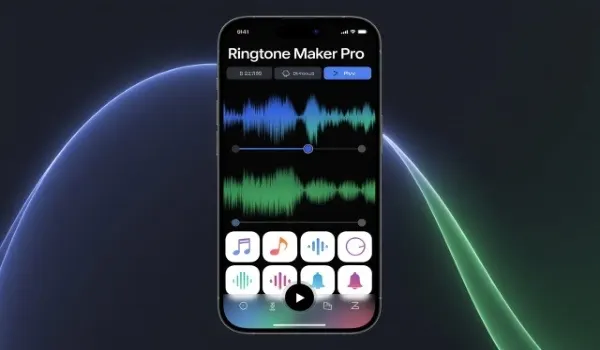
Mobile phones have become an extension of our personality, and customizing them helps us stand out in a world full of similar devices. One of the easiest and most creative ways to personalize your phone is by using custom ringtones.
Instead of relying on default sounds, you can design unique mobile tones that reflect your style, mood, or favorite music. This is where Ringtone Maker tools play a crucial role, allowing anyone to create professional-quality ringtones without technical expertise.
What Are Ringtone Maker Tools?
Ringtone maker tools are applications or online platforms that allow users to cut, edit, and convert audio files into mobile-friendly ringtones.
These tools support various audio formats such as MP3, WAV, and AAC, making it easy to transform songs, dialogues, or voice recordings into custom tones. With user-friendly interfaces, most tools are designed for beginners while still offering advanced features for experienced users.
Why Custom Ringtones Matter
Using a unique ringtone helps you instantly recognize incoming calls, even in crowded places. Custom tones also add a personal touch, making your phone truly yours. Whether it’s your favorite song chorus or a motivational quote, custom ringtones create a sense of individuality that default tones simply cannot match.
Key Features of Ringtone Maker Tools
Modern ringtone maker tools offer a wide range of features that simplify the customization process:
Audio Trimming and Cutting
This feature allows you to select the perfect segment of a song or sound clip. Most users prefer 20–30 second clips that are loud, clear, and recognizable.
Sound Editing Options
Advanced tools provide options such as fade-in, fade-out, volume control, and noise reduction. These features ensure your ringtone sounds smooth and professional.
Format Conversion
Ringtone makers convert audio files into formats compatible with both Android and iOS devices, ensuring seamless usage across different smartphones.
Direct Saving and Sharing
Many tools allow you to save the ringtone directly to your phone or share it with friends, making customization fast and convenient.
How to Design Unique Mobile Tones
Designing a unique ringtone is a simple process when using a reliable Ringtone Maker tool. Start by choosing a high-quality audio file. Select the most recognizable or enjoyable part of the sound. Use editing features to enhance clarity and ensure the ringtone starts at the right moment. Once complete, save the tone and assign it to calls, notifications, or alarms.
Benefits of Using Ringtone Maker Tools
Ringtone maker tools offer several advantages:
- Full creative control over your mobile sounds
- No need for expensive software or technical skills
- Quick customization within minutes
- Suitable for calls, messages, alarms, and notifications
These tools empower users to turn everyday audio into something special and meaningful.
Online vs. App-Based Ringtone Makers
Online ringtone makers work directly in your browser and require no installation, making them ideal for quick edits. App-based tools, on the other hand, offer deeper editing options and offline access. Choosing the right option depends on your usage preferences and device type.
Tips for Creating the Perfect Ringtone
- Choose clear and high-quality audio files
- Avoid long intros or silent sections
- Keep the ringtone short and impactful
- Test volume levels to ensure audibility
Now you that, how to create custom ringtones using a ringtone maker.
Conclusion
Designing custom mobile tones has never been easier. With the help of modern Ringtone Maker tools, anyone can create unique, high-quality ringtones that reflect personal style and preferences.
From trimming audio to applying sound effects, these tools make customization simple and enjoyable. If you want your phone to stand out and sound unique, ringtone maker tools are the perfect solution for designing mobile tones that truly feel like your own.
FAQs
1. Are ringtone maker tools safe to use?
Yes, most reputable tools are safe. Always choose trusted apps or websites and avoid downloading files from unknown sources.
2. Can I use copyrighted music for personal ringtones?
Using copyrighted music for personal use is generally allowed, but sharing or distributing such ringtones may violate copyright laws.
3. Do ringtone maker tools work on all smartphones?
Most tools support Android and iOS devices, but file format compatibility may vary depending on the phone model.






Comments